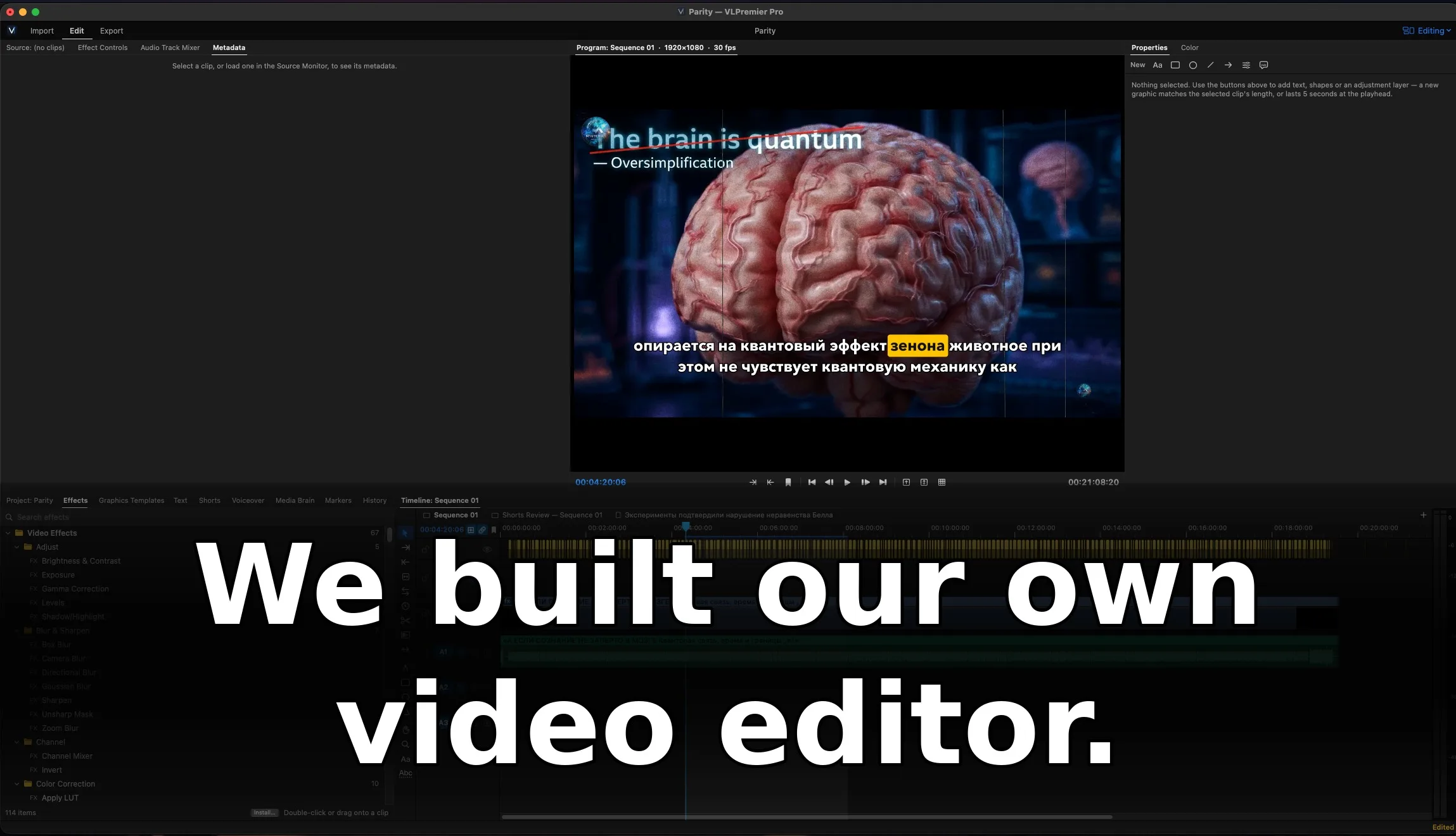
VLPremier Pro: The Video Editor We Built for Ourselves
Topic: VLPremier Pro video editor
VLPremier Pro: a native Mac video editor we built from scratch — timeline, captions, AI voiceover, Shorts finder, and 300+ graphics templates.
Every studio eventually hits the same wall with its tools: the software you depend on starts depending on you — on your subscription, your login, your tolerance for features you never asked for. After years of cutting documentaries in Premiere Pro, we decided to find out what happens when you build the editor yourself.
The result is VLPremier Pro: a native Mac video editor written from scratch in Swift, with zero third-party code inside. It is currently in internal testing (v0.6.6) — and it is already cutting our own productions.
Why build instead of buy
This was not a whim. Our team produces long-form documentary content, which means enormous timelines, hundreds of captions per episode, constant versioning for YouTube, Shorts, TikTok, and Reels, and a steady diet of motion graphics. We knew exactly which parts of the editing workflow ate our time. So we built an editor around the work we actually do.
Because every line of code is ours and it links only against frameworks that ship with macOS, there is no subscription infrastructure, no telemetry bargaining, and no waiting on a vendor's roadmap. When we need a feature, we ship it.
A real NLE, not a toy
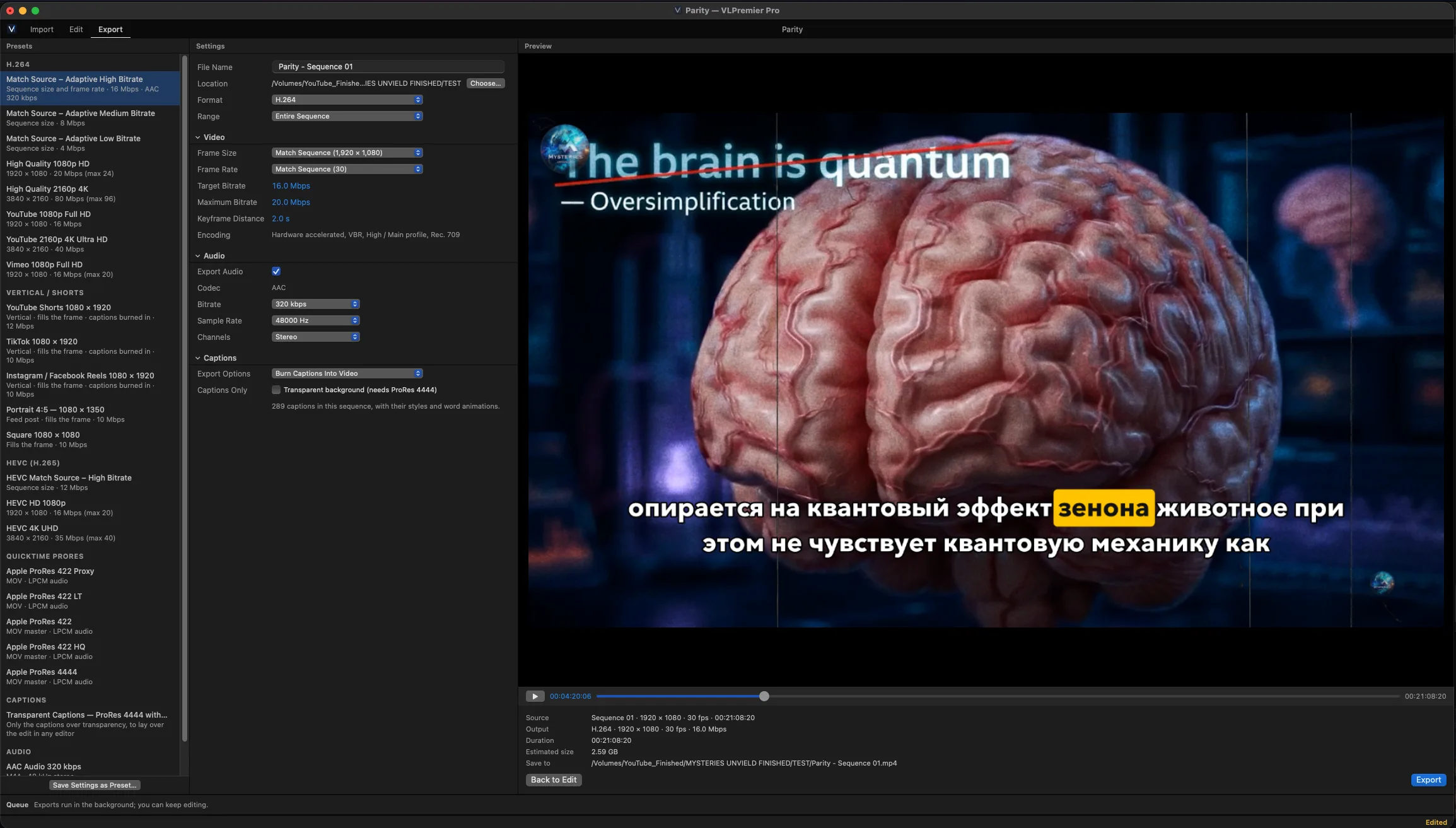
VLPremier Pro is a full non-linear editor: a multi-track timeline for video and audio, a proper effects stack (adjust, blur and sharpen, channel tools, color correction), LUT support, and hardware-accelerated export. The export panel alone tells you who this is for — presets for YouTube 1080p and 4K, Vimeo, HEVC, and ProRes masters up to 4444, plus dedicated vertical presets for Shorts, TikTok, and Reels with captions burned in. Exports run in a background queue, so you keep editing while a master renders.
It opens your Premiere and After Effects projects
Here is the part that matters if you are thinking of switching: VLPremier Pro opens .prproj and .aep files, along with .mogrt templates, Premiere presets, XML timelines, .srt and .vtt caption files, and .cube LUTs. Your existing work is not held hostage. Migration is a file-open dialog, not a rebuild.
Captions without the cloud
Documentary work lives or dies on captions. VLPremier Pro transcribes the speech in your clips on the Mac itself — nothing is uploaded anywhere — and turns it into styled captions with per-word animation. One of our test sequences carried 289 captions with their styles intact, ready to burn into the video or export as a transparent ProRes 4444 track to lay over the edit in any other editor.
Voiceover Studio
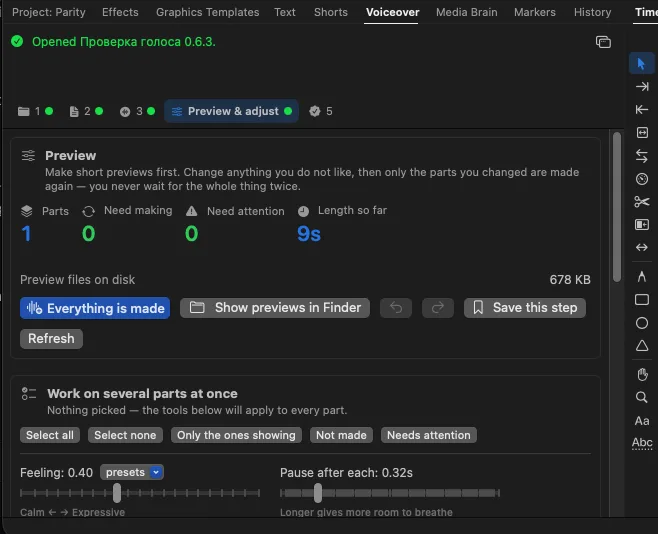
Narration is the backbone of our productions, so the app includes a dedicated Voiceover Studio: AI narration with a preview-and-adjust workflow. You listen to a short preview first, change anything you don't like, and only the parts you changed are re-rendered — you never wait for the whole thing twice. Expressiveness, pacing, and pauses are all adjustable per part, and multi-part projects are managed as a single session.
The Shorts finder
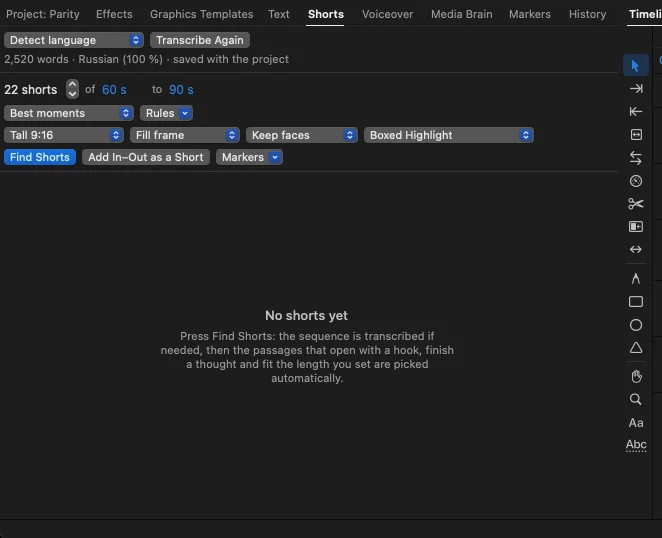
Short-form versions used to mean an afternoon of scrubbing. The Shorts finder transcribes your sequence, then automatically picks the passages that open with a hook and finish a thought, sized to the 60–90 second length you set. It reframes to vertical, keeps faces in frame, and burns in boxed-highlight captions. What was an afternoon is now a button.
Graphics built for storytellers
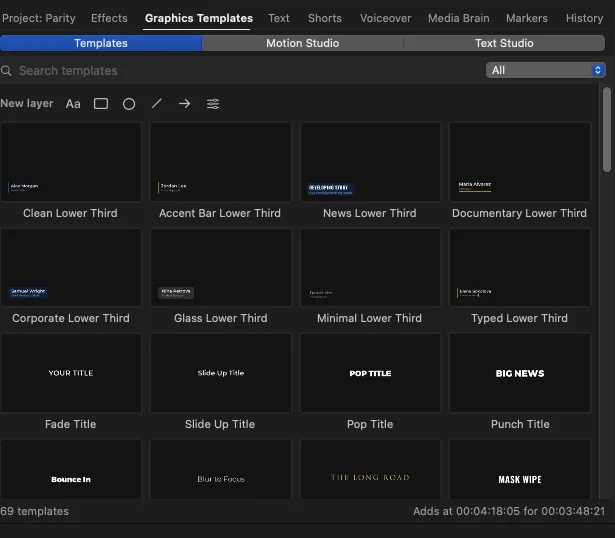
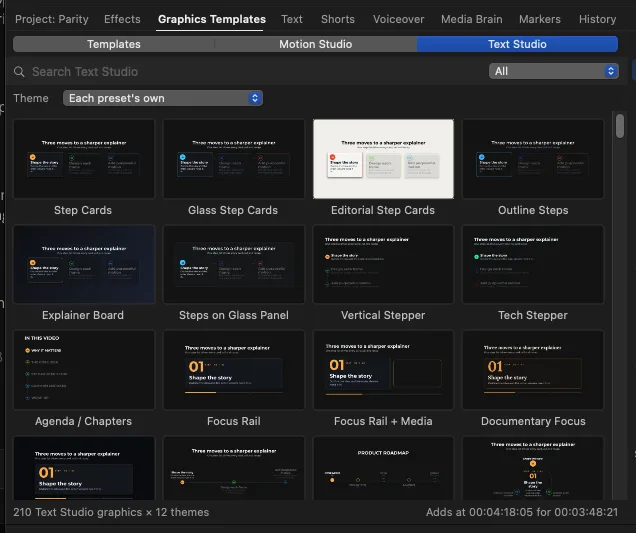
Two built-in studios cover the visual layer. Motion Studio ships 91 motion graphics presets — lower thirds in documentary, news, corporate, and minimal styles, plus animated titles. Text Studio goes further: 210 animated infographic templates across 12 themes — step cards, explainers, charts, counters, timelines, callouts, kinetic type, chapter boards. If you have watched our documentaries, you have seen this visual language. Now it is built into the editor.
Where it stands
VLPremier Pro 0.6.6 is in internal testing, cutting real productions today — including the documentary frames you see in these screenshots. It is the product of a simple conviction: the people who do the work should own the tools.
We will share more as it matures — including what we learned writing a pro video editor from zero, with no third-party code, on native macOS frameworks.