Pricing on Your Website: How to Show Prices Without Scaring Customers Away
Topic: website pricing page
Many visitors leave a website when they cannot find any price guidance. We show how to present pricing clearly, explain what affects cost, and turn price questions into enquiries.
Price is usually the first question a visitor brings to your website, even when they never say it out loud. If they cannot find any guidance, many simply leave and look for a competitor who gives them a clearer picture. That does not mean every business should publish a full price list. It does mean your website should answer the price question honestly, in a form that fits how your work is actually priced. We help service businesses do this every week, because a pricing page that is clear and fair builds trust long before the first conversation.
Why hiding prices costs you enquiries
When visitors find no prices at all, they tend to assume the worst: that the service is more expensive than they can afford, or that the final bill will contain surprises. Some will call to ask, but many will not. They move on to a business that gave them enough information to judge whether an enquiry is worthwhile. Hiding prices also wastes your own time, because the enquiries you do receive include people whose budget was never a fit. A page that gives honest guidance filters kindly in both directions: serious customers arrive better informed, and mismatched enquiries quietly go elsewhere.
When showing exact prices works best
Exact prices work well when the service is standard, repeatable, and easy to describe. A fixed-price package, a standard clean, a set maintenance plan, or a product with clear options can all carry a real price without much risk of misunderstanding. State exactly what that price includes, what it does not include, and how long it is valid. If a price depends on a simple choice, such as size or frequency, show the price for each option rather than forcing visitors to guess. The clearer the offer, the more confident a visitor feels about taking the next step.
When a range or a starting price is smarter
Custom work rarely fits a single number. Projects differ in scope, condition, timing, and materials, so a single fixed price would either overcharge simple jobs or underprice complex ones. In that case, a realistic range or a clear starting price is more honest than no price at all. Give the range a reason: most kitchens fall in this band, most projects of this size start here. Explain what a typical job looks like at the low end and what pushes a job toward the top. Visitors understand ranges when you show them the logic behind the numbers.
Explain what changes the price
The most useful part of a pricing page is often not the numbers themselves, but the explanation around them. List the main factors that affect cost in plain language: size, complexity, condition, materials, travel, urgency, and any preparation the customer can do themselves. This teaches visitors how to estimate their own job more accurately and shows them where they have choices. A customer who understands why one option costs more is far less likely to feel sold to, and far more likely to trust the quote you give them later.
Answer the questions behind the price
Behind every price question sit other questions. Is this good value? What do I actually get? Are there extra charges? What happens if the job changes? Answer those directly on the page. Say whether estimates are free, whether a deposit is required, how payment is taken, and what guarantee or follow-up is included. If you offer a lower-cost and a fuller option, describe the real difference between them without pressuring visitors toward the expensive one. Honest answers at this stage prevent the misunderstandings that damage reviews later.
Design the page so prices are easy to compare
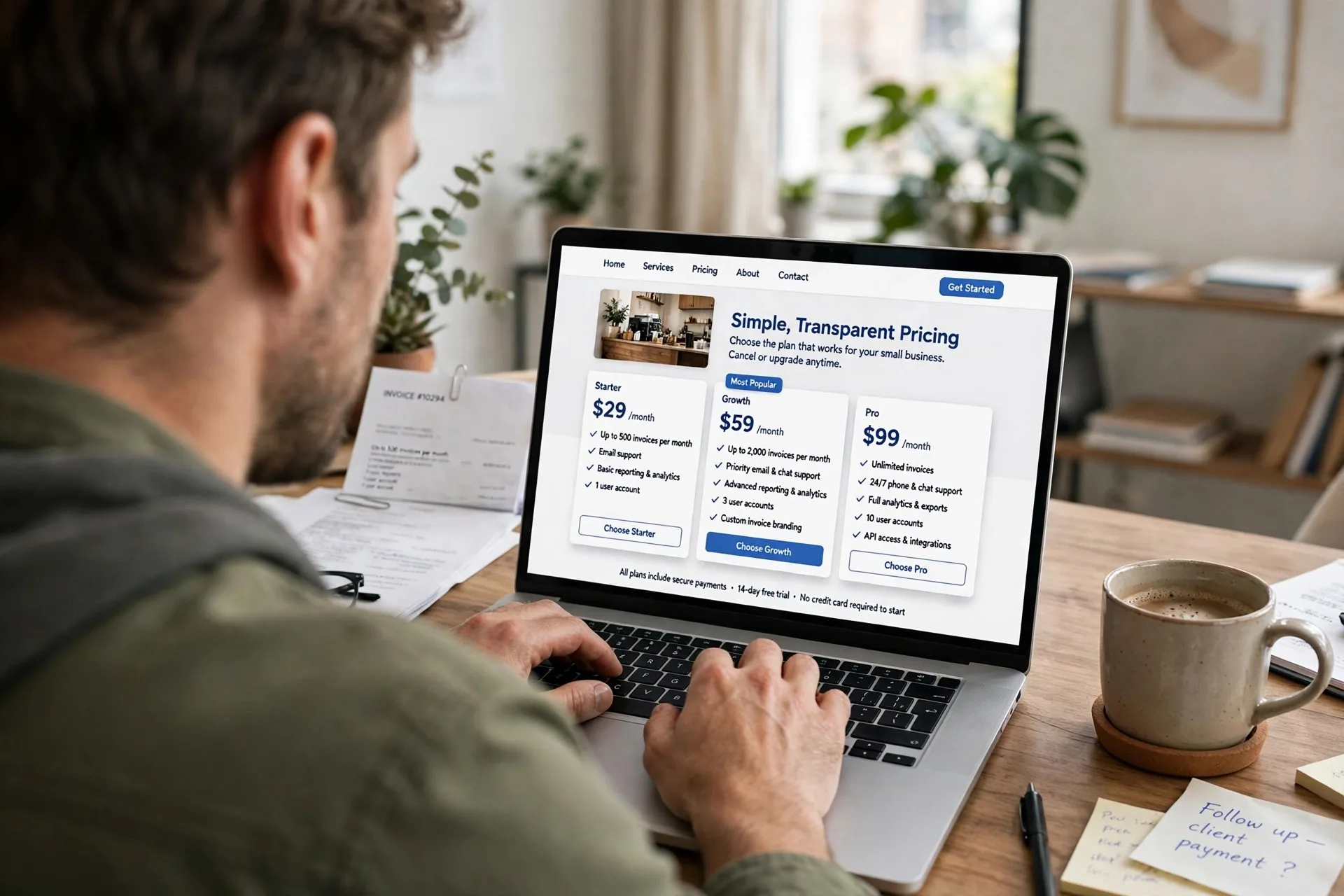
Presentation matters as much as the numbers. Put the most common option first, keep each package in the same format so visitors can compare line by line, and use short plain headings rather than clever names that hide what is included. Avoid tiny footnotes that contradict the headline price; if a fee is normal, include it or name it clearly beside the price. On a phone, each option should read cleanly on its own without pinching or side-by-side squinting. If a visitor needs a spreadsheet to understand your pricing, the page is doing its job badly.
End with a low-pressure next step
A pricing page should not end in a dead end. Invite the visitor to confirm their own price with a short form, a call, or a simple estimator, and say what will happen next: who will reply, how quickly, and whether that step commits them to anything. For visitors who are not ready, offer the helpful article or guide they were likely looking for, so the visit still builds familiarity. Review the page whenever your prices change, and check that older pages on your site do not quote different numbers. If you would like help building a pricing page that is clear, honest, and easy to update, we are glad to help at webpronc.com.